3 Industry usedone · reading only
6 Bare metaldone
Emulated BMCs·Rack power plan·Drift and burn-in·NetBox inventory·Hardening and Secure Boot·Network boot with PXE·RAID and management network
7 Cloud + GPUemulated done · real run pending
AWS autoscaling·GPU fleet monitoring·GPU scheduling·NUMA topology
Goal
The Slurm lab in Part 1 took one script and one playbook to build, because the machines under it already existed. This post covers what those machines are and how I ended up with them.
What I built
I started with a Raspberry Pi. I was looking for a better way to run containers on it than Portainer, and the search led me to the Proxmox VE Helper-Scripts that tteck wrote. Each script creates an LXC container with one app already installed, from a single command. The scripts are now maintained by the community at community-scripts. They were the reason I tried Proxmox VE at all, and I still create my containers with them.
Today the setup is two small Proxmox VE servers and the Pi, all connected with Tailscale:
| Role | Machine | CPU | Memory | Paid | Used for |
|---|---|---|---|---|---|
| Compute | Beelink SER5 Pro | Ryzen 7 PRO 5850U, 8 cores and 16 threads | 32 GB | $329 | the three lab VMs and several LXC containers |
| Storage | WTR Pro 4-bay NAS (Twin Lake N150) | Intel N150, 4 cores | about 31 GiB | $313 | a TrueNAS SCALE VM that owns the four drives, and a media server |
| Always on | Raspberry Pi 5 | 4 cores | 8 GB | $98 | a private git server and Ansible for the lab |
 Diagram: the three machines, the laptops and the two networks between them.
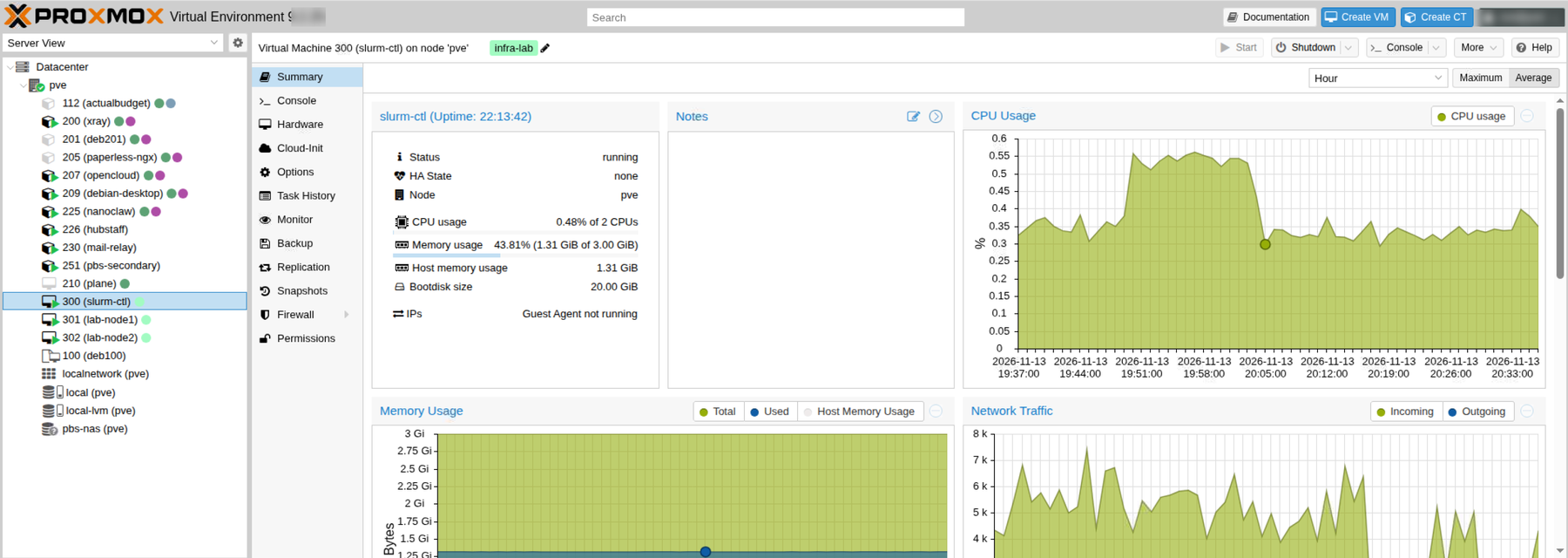 Screenshot: the Proxmox VE console on the compute host. The containers and the three Slurm VMs are listed on the left. The version number and my login are blurred.
To set the pieces up yourself, these are the guides I’d start from: the Proxmox VE installation guide, the Proxmox VE Linux container page, the community-scripts repository, the Tailscale quickstart and the TrueNAS documentation.
How it works
LXC containers and VMs
 Diagram: what a container shares with its host and what a VM does not.
A container shares the host’s kernel, so it starts in seconds, uses little memory and is cheap to snapshot and back up. That suits ordinary services, and between the two hosts I run 21 of them. A VM has its own kernel and its own cgroup setup, so it behaves like a separate machine. The Slurm nodes are VMs for that reason, since a compute node should look like its own machine.
Tailscale
Tailscale gives every device a private address and a name, so I can reach the lab from any network without opening ports on my router. Tailscale SSH removes the need to copy keys around, and the access rules are default-deny: each device carries a tag, and only the listed paths between tags are open.
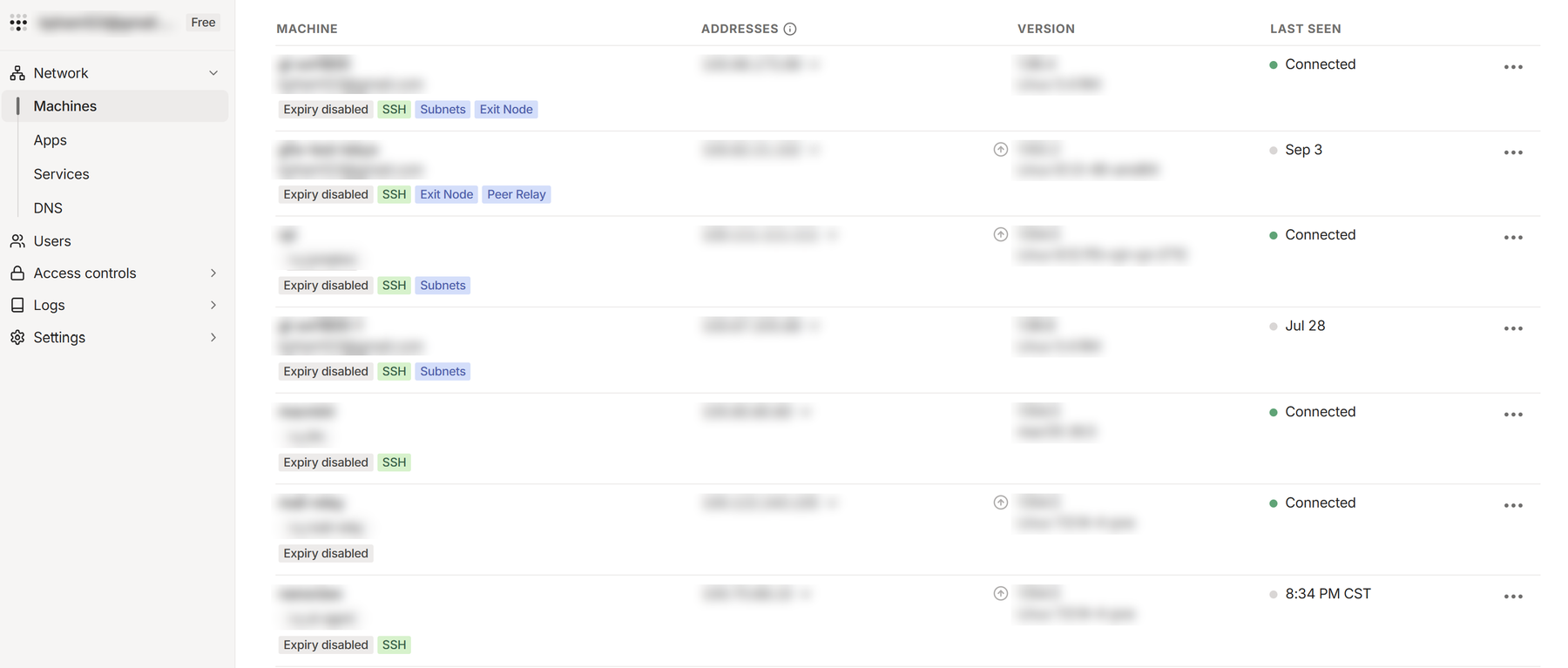 Screenshot: the Machines page of the Tailscale admin console. Machine names, owner emails, addresses and software versions are blurred.
Laptops and phones come and go, so I treat them as scratch space. Work is pushed to the git server on the Raspberry Pi, and the Pi is where I run Ansible from. That is why the lab could be built, rebuilt and driven from any machine.
Commands and results
These are read-only checks I ran from the Raspberry Pi against both Proxmox hosts while writing this:
- The Proxmox VE version command reported 9.2.25 of the manager package on both.
qm liston the compute host showedslurm-ctl,lab-node1andlab-node2running, each with 3072 MB of memory and a 20 GB boot disk. On the NAS host it showed one running VM, the TrueNAS one, with 16 GB of memory.pct listlisted 10 containers on the compute host, 7 running, and 11 on the NAS host, 3 running.pvesm statusshowed thelocal-lvmpool at about 21% used on the compute host and about 23% on the NAS host. The lab’s disks live there, not on the NAS.tailscale statuson the Raspberry Pi listed 18 other devices, 12 online, running Linux, macOS, Windows and iOS.- The NAS host holds a mirror of every repository on the git server, and it was updated today.
Challenges
Things that went wrong along the way, taken from the commit history of my home-infra repository:
- A backup that quietly stopped. The Pi writes weekly SD-card images, and the check for “is the last image recent enough” rounded the age down to whole days. A week-old image counted as six days old, so the job skipped itself and logged “all backups up to date” while the images froze for about a week. I fixed it on 2026-06-27 by refreshing unless an image was already written that day.
- A full SD card. On 2026-09-22 the 29 GB card reached 88%. Most of the growth was apt keeping every package version it had ever downloaded: Docker, Tailscale and the GitHub CLI repositories keep old versions available, so the weekly
autocleannever removed them. SettingKeep-Downloaded-Packagesto false fixed it, but only once I set it globally, because apt has a built-in default that applies to theaptcommand alone andapt-getignored my setting until then. - A Pi that stopped with no explanation. On 2026-09-15 at 23:10 it halted at the hardware level, with no shutdown in the log, and sat with a solid red light until I power-cycled it. Power and the UPS were fine, and the registers that might have named the cause were wiped by the power cycle. I never found the cause. I added telemetry that logs the Pi’s power readings every 20 seconds and records how each boot ended, plus a heartbeat from the Proxmox host. It crashed and restarted again on 2026-11-04. The filesystem check recovered and the git server was back within minutes.
- A retry setting that did nothing. On the NAS host I had written a systemd drop-in to limit iSCSI reconnect attempts to ten, but the keys sat under the wrong section and systemd 257 ignored them. Retries were unlimited and the documented limit was wrong. I corrected the file and the notes on 2026-10-10. I have not tested it from a cold boot.
- Endless no-op commits in my config backups. An hourly job copies each container’s config into git, and during a Proxmox backup the config briefly gains a lock block. The job committed the block one hour and the removal the next. It now strips those lines before committing.
Things I can’t address here:
- The compute host has about 9 GiB of memory free after the lab VMs and my other services. That is enough for Slurm. Kubernetes and the ML parts will need more, and I’ll decide how to find it when I get there.
- The lab shares a host and a home network with services I actually use. There is no separate lab network, and I don’t want to break the real services while experimenting.
Comments